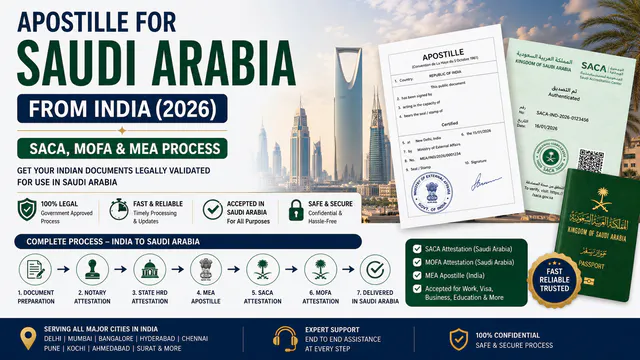
Need an apostille for a document from India? You may be able to apply through e-Sanad, the government's online portal. First, check if your document is available on the portal.
Not every certificate can be processed there. This guide explains who can use e-Sanad, how to apply, and what to do if your document is not available.
Key takeaways
- Start with the document, not just the issuing state. e-Sanad needs an accessible record in an integrated digital repository.
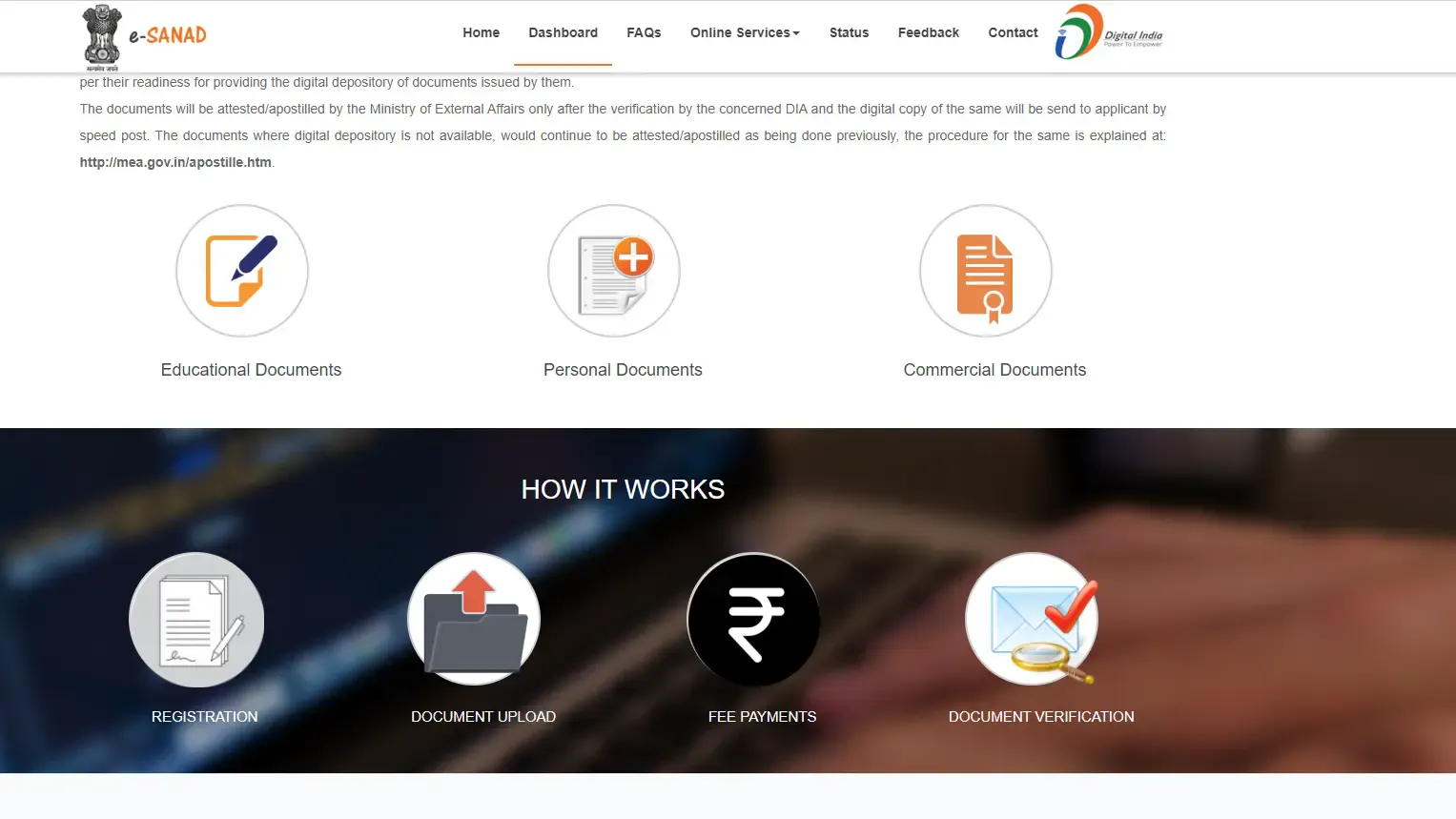
- Use the official portal: esanad.nic.in. You can sign in or register there.
- Check the destination's requirement. An apostille is relevant where the Apostille Convention applies, and the receiving organization asks for one.
- Track and verify separately. The application status page tracks an application; the e-Register checks for an issued apostille or attestation.
- Allow time for verification and delivery. The issuing authority and MEA are separate stages. Do not plan around an unconfirmed completion date.
What is e-Sanad?
e-Sanad is an MEA initiative for online verification, attestation, and apostille of Indian documents. It connects with document-issuing authorities, such as boards and participating institutions, so users can check their records electronically. The National Informatics Centre developed the platform. The official e-Sanad explanation describes a phased rollout, so coverage of a document type does not mean every issuer's records are available.
An apostille authenticates the origin of a public document for use in another country where the Apostille Convention applies. Normal attestation follows a different route when an apostille is not accepted. Check both the destination and the receiving organization's instructions before choosing a service. MEA explains the distinction on its attestation and apostille page.
Can you use it for your document?
The deciding factor is whether e-Sanad can access the record from the document's issuing authority. The official portal specifically identifies CBSE documents from 2014 onward and records available through participating repositories, including the National Academic Depository. Other authorities are being added in phases.
Your document | What to check before applying | If the record is unavailable |
CBSE certificate or marksheet from 2014 onward | Confirm that the record and details can be retrieved through the connected depository. | Check the issue with CBSE or the portal before choosing another route. The portal says physical CBSE copies from these years are not accepted for this purpose. |
University degree or marksheet | Check that your university and the exact record are available through an integrated repository. | Follow MEA's procedure for documents outside e-Sanad. |
State-issued personal or educational certificate | Check the issuing department and the exact document, not merely the state name. | Check the required state authentication and MEA submission route. |
Any other Indian document | Ask whether it is suitable for the requested service and available for verification on the portal. | Confirm the correct alternative with the receiving organization and the relevant authorities. |
For example, a degree from a Kerala university should not be called eligible or ineligible just because it was issued in Kerala. First, check whether that university and that degree record are available through the connected system. The same rule applies to a Kerala birth certificate or nursing qualification. The e-Sanad eligibility explanation is based on the digital record and issuing authority.
Do not assume that a PDF or a document visible in DigiLocker is automatically available for e-Sanad apostille. Check whether the issuing authority's record can actually be accessed for this service.
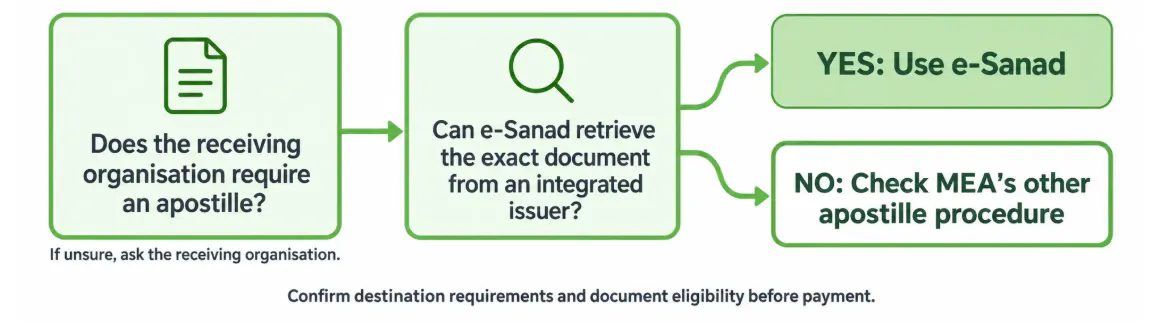
Which route fits your documents?
Confirm the receiving organization's requirements and the document's eligibility before payment.
How do you apply?
The official portal shows registration, document submission, payment, and document verification as the main stages. The available screens and checks depend on the document.
- Check the requirements. Ask the overseas university, employer, licensing body, or other recipient which document and form of authentication it needs.
- Check your record. Confirm that e-Sanad can access the exact document from its issuing authority. Compare names, dates, and document numbers before submitting.
- Register or sign in. Use the applicant registration page or login page and enter the details the portal requests.
- Choose the document and service. Follow the available prompts for attestation or apostille. Review the document and address details carefully.
- Pay and save the reference. Keep your payment receipt, application ID, or document ID, and any confirmation shown on the portal.
- Watch the status. The issuing authority verifies the record before MEA completes the applicable service. Check the portal for requests or changes.
If the system cannot find your record, do not keep submitting different versions of the same document without checking why. Contact the issuing authority or use the alternative MEA procedure where applicable.
“Get in Touch”
Fees, timing, and delivery
There is no single end-to-end time for every e-Sanad application. Verification by the issuing authority, MEA processing, and delivery are different stages. A pending status does not, by itself, identify which stage is causing a delay. Trueway's estimate for the MEA stage is given in the questions below.
Item | What you can confirm |
MEA apostille fee | The official e-Sanad FAQ lists ₹50 per document. Check the current amount shown during your application before paying. |
Other charges | The official guidance also lists collection and postal charges for applicable routes. Your actual payable amount should be checked on the portal or with the authorized service route. |
Processing time | Depends on the issuing authority's verification and subsequent processing. Allow extra time before an admission, job, or visa deadline. |
Delivery | The current official e-Sanad page describes sending the processed copy by speed post after verification and apostille or attestation. Check the confirmation and delivery information for your application. |
Do not rely on a promised PDF by email or a fixed number of days unless the portal or relevant authority confirms that for your application. Check the receiving organisation's requirements before assuming that a printed, electronic, or original version will meet them.
How to track or verify a document
There are two different checks. Use the one that matches your question.
Your question | Official tool | What you need |
“Where is my application now?” | Application ID or Document ID, plus the displayed CAPTCHA. | |
“Was this apostille or attestation issued?” | The apostille or attestation number shown on the completed document, plus the displayed CAPTCHA. |
An e-Register match helps check the issuing record. An apostille does not certify that every statement inside the underlying document is true. Its role is to authenticate the document's origin, as explained in the official e-Sanad FAQ and the Hague Conference's Apostille guidance.
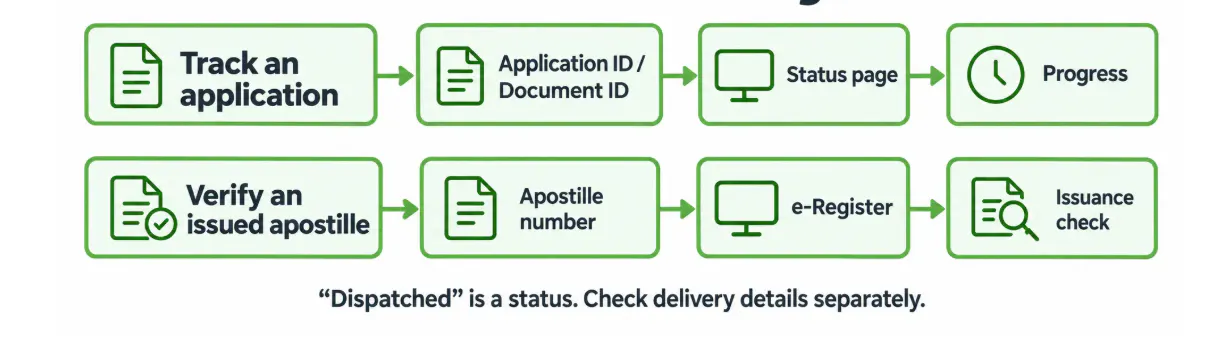
Track it or verify it?
Use the application ID or document ID to track progress. Use the apostille number to check issuance in the e-Register.
What if your document is not available?
A document that is not available through e-Sanad may still be apostilled or attested through MEA's other procedure. MEA describes authentication by the relevant authority, submission through its designated service route, and return of the processed document. The required stages depend on the document and purpose. See MEA's current procedure and Trueway's apostille attestation service for help identifying a suitable route.
Before handing over a document, confirm:
- Which organization will receive it, and in which country?
- Does that organization ask for an apostille, normal attestation, or something else?
- Does the document require any prior authentication?
- Will the recipient accept the version that will be returned?
These checks can save a second application. If you need more background, read Trueway's guide to apostille attestation in India or its Kerala apostille process guide.
Frequently asked questions
Look at the latest stage shown on the status page and keep your application or document ID ready. If the status has not moved and you have a deadline, use the official e-Sanad feedback form to report the issue. Give the exact status and dates. Do not submit a second paid application solely because the first is pending.